
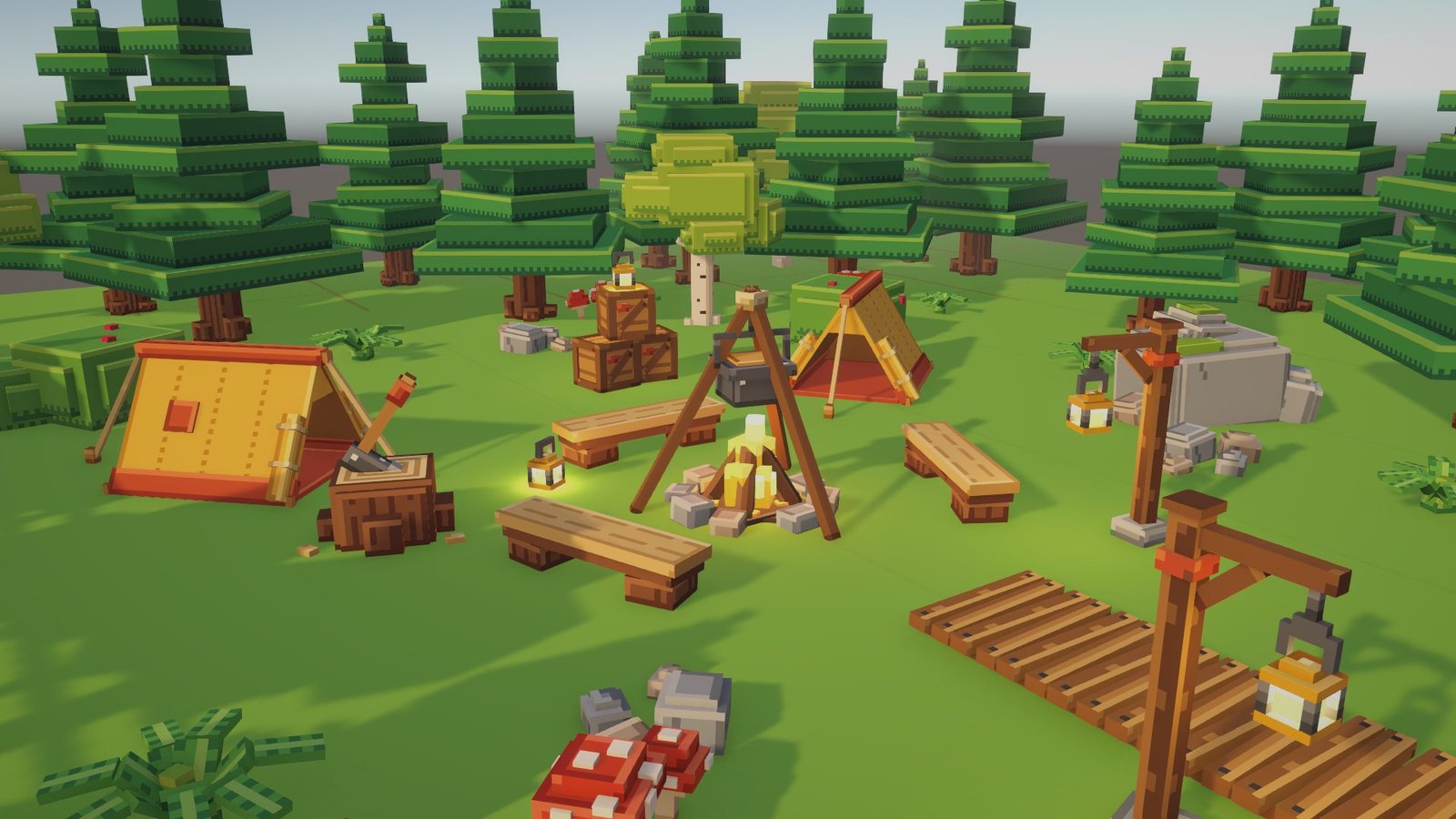
Emberpine Camp
A cozy sunset campsite deep in a toy-like pine forest. Twenty-two chunky, hand-built models on one atlas and one material — ready to drop into your Unity scene.
Rendered in Unity
Every image is a real-time render from Unity 6 with URP, taken in the included demo scene. Click any image to enlarge it.
Flicker and sway
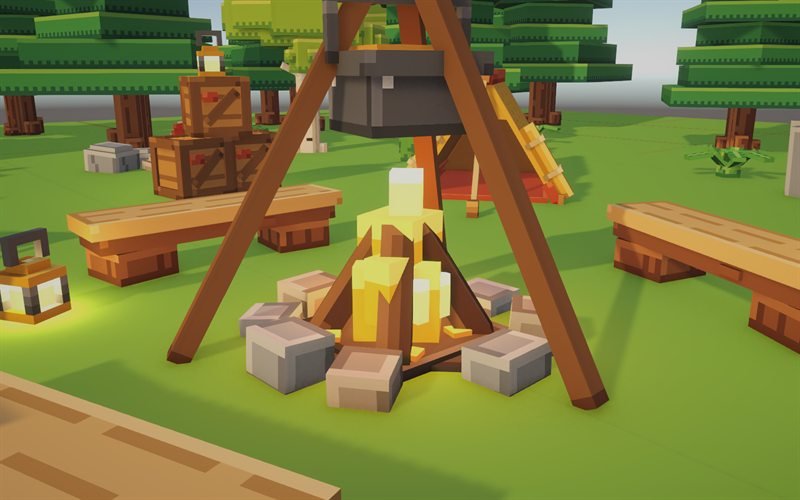
Two looping animations bring the camp to life. Flames and lantern glass glow through the emission map, and point lights flicker along with them.
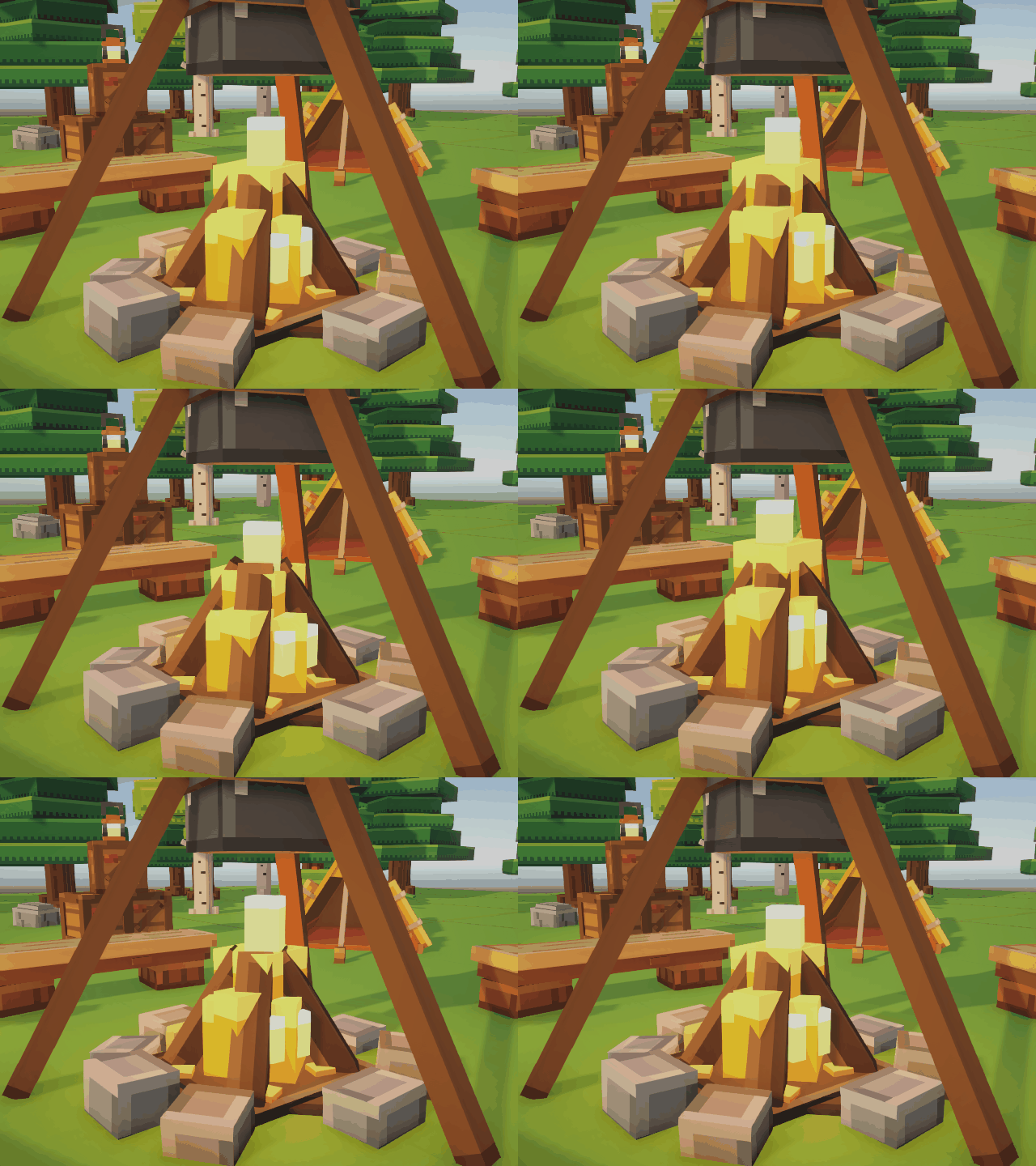
campfire_flicker
1.2 second loop · animated flames + point light
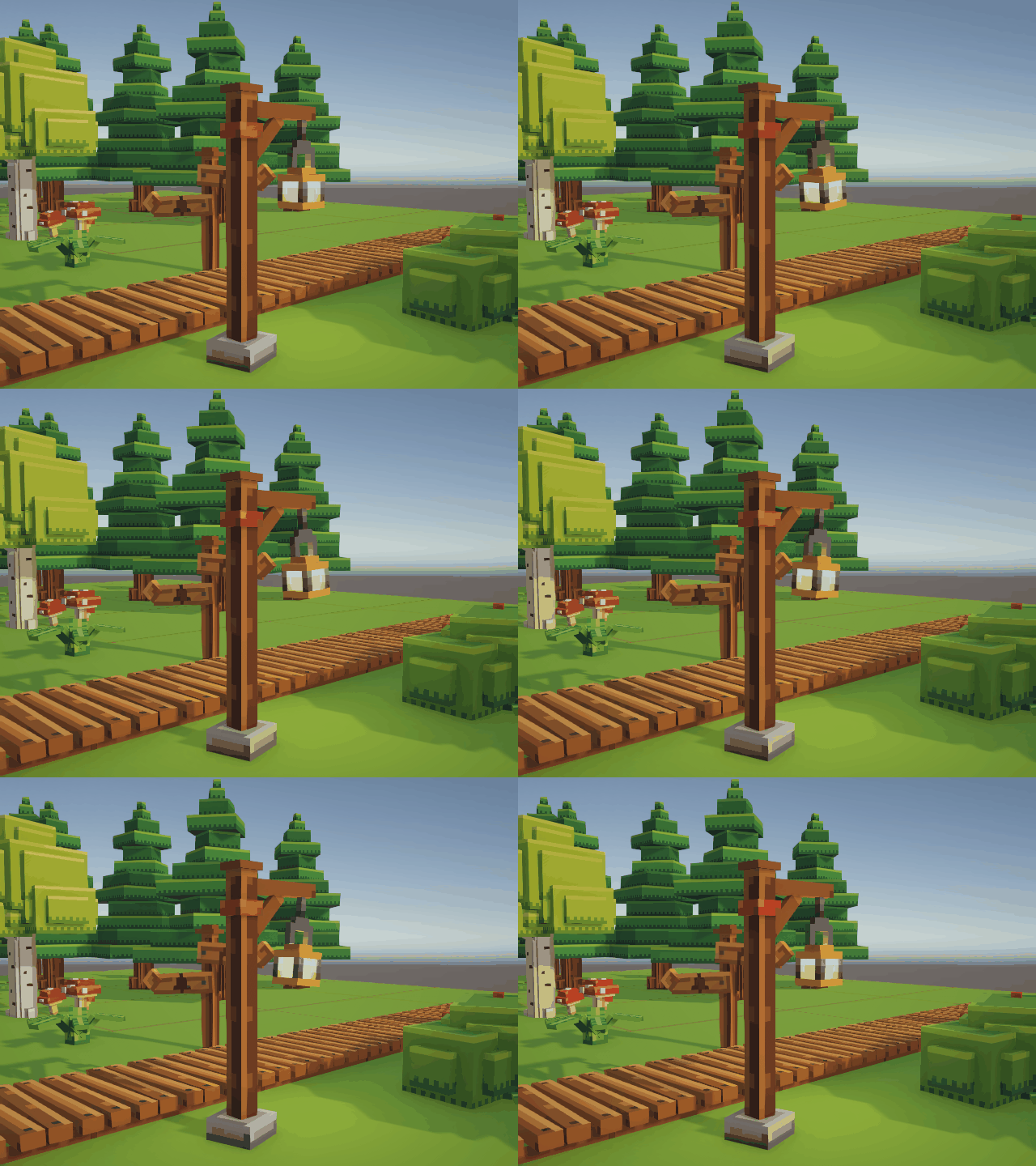
lantern_sway
3 second loop · swinging hook with a glowing lantern
Pick your forest
Both pine and birch come in two looks with the same size and footprint, so you can swap them freely. Same camera and light in both shots.
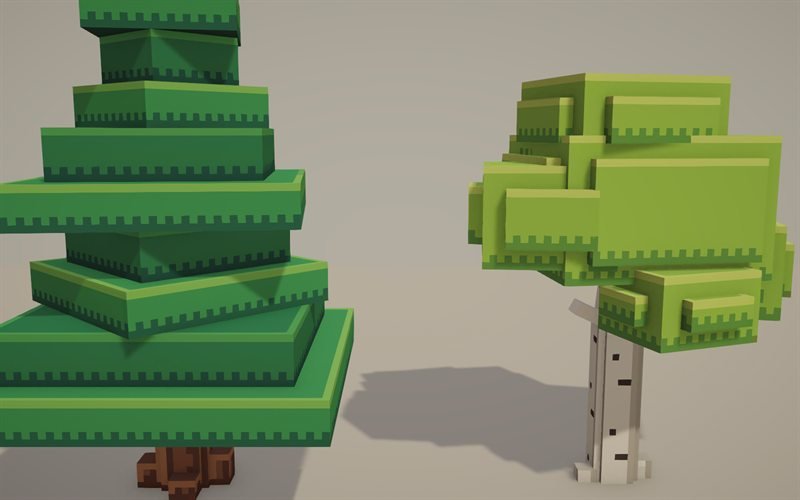
Classic
Crisp layered tiers with clean edge trim. Used in the demo camp. EP_PineTreeClassic, EP_BirchTreeClassic
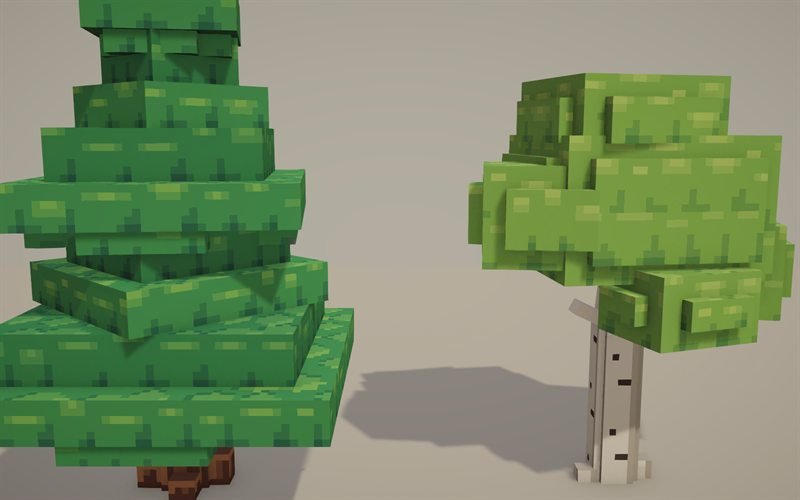
Clustered
Softer five-tone leaf clusters, with drooping branch tufts on the pine. EP_PineTree, EP_BirchTree
Built to be easy to use
One material for everything
Every prefab shares a single 1024×512 atlas and one URP material, plus a matching emission map.
Fire & lantern light
A flickering campfire and a swaying lantern post, with glowing emission and point lights.
Modular pieces
2 m fence segments with end posts, 2 m plank paths and 4 m grass tiles snap together cleanly.
Real-world scale
Metric scale matched to a 1.8 m character. Pivots sit at the base centre; every model faces +Z.
Colliders included
Box, capsule or convex colliders on the props you walk into. Small ground scatter stays collider-free.
Two demo scenes
A ready-made camp scene and a labelled showcase of every prefab to explore before you build.
22 models, measured in Unity
Sizes are width × height × depth in metres, measured on the prefabs in Unity.
| Model | Size (m) | Triangles | Collider |
|---|---|---|---|
| Nature 11 models | |||
| Pine Tree — ClassicLayered forest pine | 3.13 × 5.63 × 3.13 | 172 | Capsule (trunk) |
| Pine Tree — ClusteredLeaf clusters with drooping branches | 3.13 × 5.63 × 3.13 | 283 | Capsule (trunk) |
| Birch Tree — ClassicLight accent tree | 3.22 × 3.88 × 2.42 | 226 | Capsule |
| Birch Tree — ClusteredLight accent tree, clustered leaves | 3.22 × 3.88 × 2.42 | 226 | Capsule |
| Chopping StumpStump with an axe | 1.66 × 1.72 × 1.63 | 123 | Box |
| Fallen LogMossy log — obstacle or seat | 3.47 × 1.19 × 1.00 | 134 | Box |
| BoulderLandmark rock | 3.16 × 1.74 × 1.93 | 130 | Convex mesh |
| Small StonesGround scatter | 1.58 × 0.49 × 1.18 | 80 | — |
| Berry BushBush with red berries | 2.39 × 1.06 × 1.96 | 134 | Box |
| FernGround scatter | 1.39 × 0.49 × 1.45 | 179 | — |
| Mushroom ClusterGround scatter | 1.39 × 0.80 × 0.92 | 250 | — |
| Camp 11 models | |||
| TentA-frame tent, door faces +Z | 2.24 × 1.62 × 4.35 | 242 | Box (body) |
| CampfireAnimated flames + point light | 1.96 × 1.10 × 1.97 | 250 | Box |
| Cooking TripodTripod and pot, shares the campfire pivot | 2.28 × 2.52 × 2.39 | 120 | — |
| Log BenchSeat height 0.50 m | 2.25 × 0.50 × 0.58 | 48 | Box |
| Camp LanternGlowing lantern + small light | 0.31 × 0.56 × 0.31 | 106 | Box |
| Lantern PostSwaying hook with nested lantern | 1.11 × 2.31 × 0.54 | 88 + lantern | Capsule |
| Supply CrateExact 0.75 m cube, stackable | 0.75 × 0.75 × 0.75 | 143 | Box |
| Trail SignCarved tent & pine pictograms — no text | 2.23 × 1.88 × 0.34 | 94 | Capsule |
| FenceModular 2 m segment + end post (2 prefabs) | 2.03 × 1.00 × 0.25 | 54 / 34 | Box |
| Plank PathModular wooden path | 1.50 × 0.25 × 2.00 | 116 | Box |
| Ground TileGrass block, top face at y = 0 | 4.00 × 0.25 × 4.00 | 10 | Box |
Specs & compatibility
Geometry
- 10–283 triangles per model; 3,280 for one of each
- Hidden and ground-facing faces removed
- Pivot at base centre, forward is +Z
- No LODs — every model is well under 1,000 triangles
Textures & material
- Albedo atlas 1024×512, 16 texels per metre
- Separate emission map on the same UVs
- Point filtering for crisp pixels
- One shared URP Lit material
Animation & scenes
campfire_flicker— 1.2 s looplantern_sway— 3 s loop- Small light-flicker script for the point lights
- Demo camp: 195 prefab instances, 16,255 triangles, 1 material, 5 point lights
- Showcase scene with a label for every prefab
Tested with
- Unity 6 (6000.4.3f1)
- Universal Render Pipeline 17.4
- Imported into a clean URP project with no missing prefabs, scripts, materials or shaders
Good to know
- Only URP has been tested. Built-in RP and HDRP need the material shader swapped.
- Demo scenes use real-time lights; no lightmaps are baked.
- Frame rate and mobile platforms have not been measured yet.
Up and running in three steps
- Import the package into a Unity project that uses URP.
- Open
EP_Demo_CamporEP_Showcaseto look around. - Drag prefabs from
Prefabs/into your scene — they all shareEP_Atlas_Lit.
Changelog
- v1.2October 2026Added the Classic pine and birch as their own prefabs. The demo camp now uses the Classic trees; the clustered trees stay in the pack as an alternative.
- v1.1October 2026Clustered foliage: five-tone leaf clusters, a calmer palette and drooping branch tufts on the pine.
- v1.0October 2026First version: 20 models, 21 prefabs, two animations and two demo scenes.
Questions
Which render pipeline does it support?
The pack is built and tested for URP. The models and textures work anywhere, but on Built-in RP or HDRP you will need to switch the shared material to that pipeline's lit shader.
Can I mix it with other packs?
Yes. Everything is at real-world metric scale with base-centre pivots, so it sits naturally next to a standard 1.8 m character and other metric assets.
Can I recolour or edit the models?
Yes. The pack ships with FBX models and the atlas and emission textures as PNG files, so you can repaint the atlas or adjust the meshes in your own tools.
Which tree style should I use?
Classic gives clean, graphic tiers; Clustered gives a softer, leafier look. They share the same size and footprint, so you can swap one prefab for the other at any time.
Is there text on any of the props?
No. The trail sign uses carved pictograms (a tent and a pine), so it works in any language.